Free RobuxBrookhaven RP99 Nights in the ForestRivalsSteal a BrainrotGrow a GardenBlox FruitsRoblox SkinsRoblox CodesPlants vs BrainrotsFish itAdopt MERoblox Quiz

--Advertisement--

How to Redeem Robux Promo Codes on Any Device

On: March 26, 2026 3:39 AM
Follow Us:
Redeem Robux Promo Codes

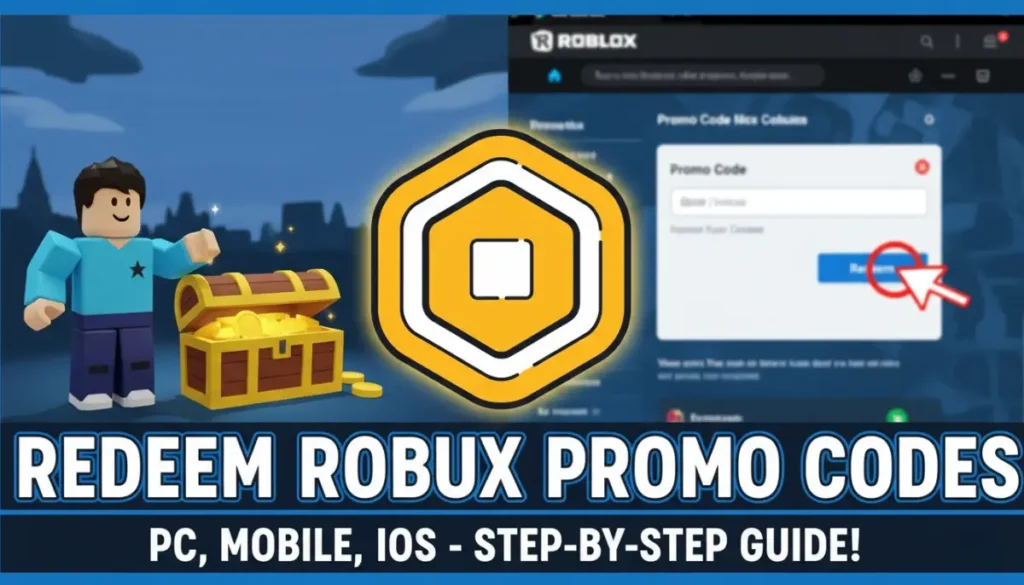
Redeem Robux Promo Codes: Roblox promo codes let you unlock free items, bundles, or sometimes small Robux bonuses when you redeem them correctly. The good news is that the process is almost the same on any device, whether you are using a PC, iPhone, Android, or tablet. In this guide, you will learn step‑by‑step instructions for redeeming Robux promo codes on every major device type.

Redeem Robux Promo Codes

What you need before you start

Before you try to redeem a code, make sure you have:

  • A Roblox account set up and ready to use.
  • The promo code text, letters and numbers exactly as shown.
  • A stable internet connection on your device.

If you do not have a Roblox account yet, create one on the Roblox website or in the app before you continue.

How to redeem Robux promo codes on PC (Windows / Mac)

On a computer, the process is quick and straightforward:

  1. Open your browser and go to Roblox
    Open your web browser and go to https://www.roblox.com.
  2. Log into your account
    Click Log In in the top right corner and enter your username and password.
  3. Open the redeem page
    Go to the official Roblox redeem page, often https://www.roblox.com/redeem.
  4. Enter the code
    In the large text box, type or paste the promo code exactly as it appears, including uppercase letters and any symbols.
  5. Click “Redeem”
    After you paste the code, click the Redeem button.
    • If the code is valid and active, you will see a message saying it was successfully redeemed.
    • Your reward, item, bundle, or Robux, will appear in your inventory or Robux balance.
    • If the code is expired or invalid, you will see an error message.
Related Post  How to Earn Robux From Roblox Events

Double check that you typed the code correctly and try again if needed, or move on to another code if it does not work.

How to redeem Robux promo codes on mobile (Android)

Redeeming codes on an Android phone or tablet works similarly to the PC version:

  1. Open the Roblox app
    Open the Roblox app on your Android device and make sure you are logged in.
  2. Tap your profile icon
    In the top left or bottom right corner, tap your profile icon or avatar.
  3. Find the “Redeem” or “Redeem codes” option
    In the menu, look for a section labeled Redeem, Redeem codes, or something similar.
  4. Enter the promo code
    Type or paste the code exactly as shown. Mobile sometimes adds spaces or auto corrects, so check the code carefully.
  5. Confirm and redeem
    Tap Redeem or OK.
    • If the code works, you will see a success message.
    • Your free item or Robux reward will appear in your account.

If the code does not work, it may be expired, region locked, or not meant for your account.

How to redeem Robux promo codes on iPhone / iPad

Redeeming codes on an iPhone or iPad follows the same pattern:

  1. Open the Roblox app
    Launch the Roblox app and log in if you are not already signed in.
  2. Open your profile menu
    Tap your profile picture or avatar in the corner to open your account menu.
  3. Go to the redeem section
    Find the Redeem or Redeem codes option in the menu.
  4. Paste the code
    Carefully paste the promo code into the box. Make sure it matches the original exactly.
  5. Tap “Redeem”
    Confirm the code and tap Redeem.
    • A success message means the code worked.
    • An error message means the code is expired, invalid, or not supported for your account or region.
Related Post  What Is Robux and Why It Matters – A Simple Guide

If you get an error, try another code or check an updated promo code guide later.

Tips for redeeming codes on any device

To make code redeeming smoother and safer, keep these tips in mind:

  • Type the code exactly
    Codes are often case sensitive, so uppercase and lowercase letters matter.
    Watch out for letters that look similar, like O and 0, or l and 1.
  • Check if the code is expired
    Promo codes are usually time limited. If a code does not work today, it may have already expired.
  • Try different devices if needed
    In rare cases, a code may work on one device type, like mobile, but not on another.
    If the code works on PC but not on your phone, check whether the code is specifically for desktop or mobile users.
  • Avoid too many attempts with the same code
    Repeatedly redeeming the same code can cause the system to think you are trying to abuse the feature.
    If a code fails once, try checking the spelling and then move on if it still does not work.
  • Use only trusted code sources
    Only redeem codes from:
    • The official Roblox website or app.
    • Well known Roblox focused sites or pages.
      Never enter your Robux promo code on random “free Robux” websites or apps that ask for your password or login details.

What happens after you redeem a code

When a promo code is redeemed successfully:

  • Free items or bundles
    These appear directly in your inventory. You can equip them on your avatar or wear them in games.
  • Small Robux bonuses
    Some codes add a small amount of Robux to your account.
    You can check your Robux balance in your profile or in the Robux section of the app.
  • Event specific rewards
    Some codes unlock special effects, badges, or cosmetics tied to a specific event or game.
    Make sure you are in the right game or event to see the reward work.
Related Post  How to Get Free Robux in 2026 – Safe Methods That Still Work

If you do not see the reward after redeeming, try:

  • Logging out and back in.
  • Reopening the app or refreshing the page.
  • Waiting a few minutes, as some rewards may take time to appear.

Frequently asked questions about redeeming codes

Can I redeem a Roblox code on more than one device?
Yes, as long as your account is the same. The code redeems to your Roblox account, not to the device. You only need to redeem it once per account.

Why does my code say “invalid or expired”?
This can happen if:

  • The code has already expired.
  • The code is meant for a different region or account type.
  • You typed the code incorrectly.

Double check the spelling and try again, or search for a newer code.

Can I share a promo code with my friends?
Most promo codes are individual and can be redeemed by multiple players, but some are one time or tied to specific events.
If a code is meant for everyone, it will usually say so in the description.

Can redeeming codes harm my account?
No, as long as you use official Roblox code pages and do not share your login details.
Avoid third party “Robux generator” sites that claim to create codes or ask for your password; those are scams.

-- Advertisement --

Sohel

Hi there! I'm Sohel, a multi-faceted gamer, blogger, and website wizard. My passion lies in the vibrant worlds of gaming and anime, and I specialize in crafting engaging content and managing websites that cater to these communities. When I'm not immersed in virtual adventures or crafting compelling words, you can find me sketching intricate designs or indulging in the captivating realms of movies, web series, and poetry. I'm always eager to connect with fellow enthusiasts, share my knowledge, and collaborate on exciting projects. Feel free to reach out and let's create something amazing together!

--Advertisement--

Leave a comment