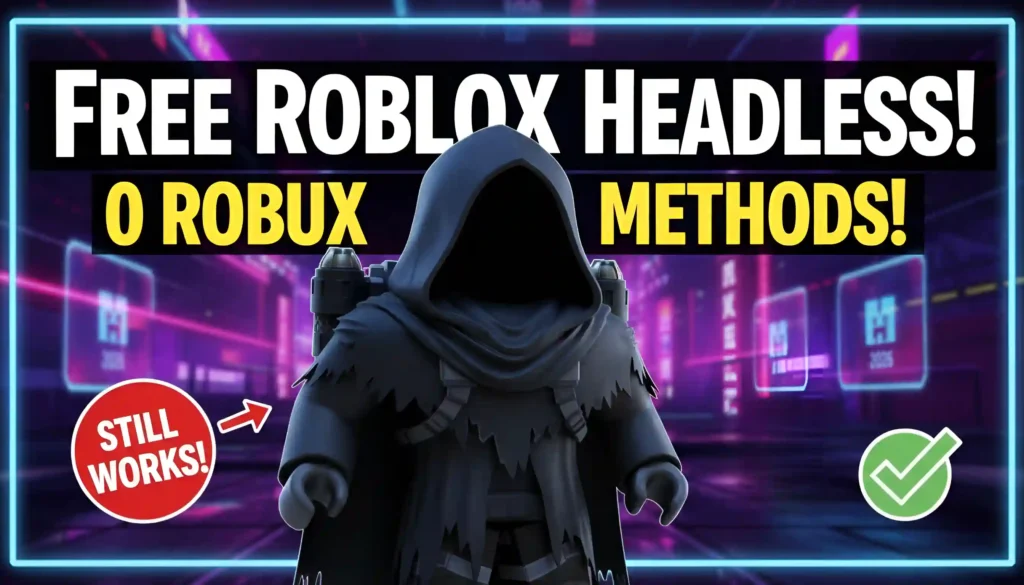
Headless avatars remain one of the most popular Roblox aesthetics in 2026, and the good news is that many fake or “headless‑style” looks are still available for 0 Robux. These are not official limited‑style Dominus‑level headless heads, but carefully crafted catalog‑legal setups that make your avatar look headless using free bundles, accessories, and body‑color tricks. This guide walks you through which headless‑style options are still live, how they work, and how to build them safely inside Roblox.
What “Free Headless Avatars” Really Are in 2026
In current Roblox, there are no properly free official headless‑head limiteds, but players rely on fake headless methods that use:
- Free bundles and body parts from the catalog.
- Color‑matching tricks (dark heads, necks, and torsos) to hide the head silhouette.
- Hoods, jetpacks, or shoulder pets that visually cover the head area.
The result is an avatar that looks headless in most games and screenshots, even though it’s made entirely from free or cheap parts. These setups are especially popular as cheap “Headless Horseman‑style” alternatives for players who don’t want to drop 30,000+ Robux on a real headless item.
Why Free Headless Avatars Are Still Popular
Several reasons keep headless avatars trending in 2026:
- They’re affordable – Most fake headless looks are built from free or low‑cost accessories and outfits.
- They’re distinguishable – A headless‑style avatar clearly stands out in group photos, roleplay servers, and thumbnails.
- They’re flexible – You can combine a headless base with premium UGC pieces (like a rare torso or pet) to create a pseudo‑limited style look at a fraction of the price.
Community creators continue to share new free headless methods because Roblox frequently patches old tricks, forcing players to hunt for fresh, working setups.
Types of Free Headless Styles Available in 2026
Several common “headless” styles are still active or regularly updated:
1. Classical Fake Headless (Hood & Body‑Color Method)
This is the most common free headless setup. It uses:
- A free green or dark hood (like the “Medieval Hood of Mystery”) that covers the head area.
- Black or dark‑green body colors on the head, neck, arms, and torso so the outline blends into clothing.
- Black pants and a matching t‑shirt to keep the whole look cohesive.
When adjusted correctly, the hood sits so low over the head that the avatar appears completely headless in most angles.
2. Faceless Headless Base
Some players start with a faceless base by:
- Removing the face and head accessory.
- Equipping a round head or golden‑style head that doesn’t show details.
- Using a hood or jetpack to cover the head while the rest of the body stays clean and color‑coordinated.
This method is less “full headless” but still visually close while remaining catalog‑safe.
3. Jetpack or Back‑Item Headless
A few setups use free jetpacks or back‑mounted items to visually “delete” the head:
- A free dark jetpack or cape sits directly over the head region.
- The player tints the head, neck, and torso the same dark color to hide where the body ends and the jetpack begins.
- Combined with a loose hoodie or oversized top, the avatar looks like a floating upper body or torso‑only character.
These looks are ideal for action‑style or superhero‑themed servers where jetpacks fit the theme.
4. Catalog‑Avatar Creator Headless Ideas
Some players experiment with the Catalog Avatar Creator to preview or test headless‑style looks inside supported games. These methods often:
- Use pre‑configured headless‑like heads that only appear in creator experiences.
- Let you test the look before building a catalog‑legal version using free items.
These setups are usually experience‑limited and may not show the same way in all games.
How to Build a Free Headless Avatar (Step‑by‑Step)
If you want to build a convincing free headless avatar today, follow this safe, catalog‑legal method:
- Open the Avatar Editor
- Launch Roblox and open your Avatar tab.
- Press Avatar Editor to access the customization menu.
- Set Up a Headless‑Friendly Body
- Under Build, choose a standard body type (male or female) that matches your preferred style.
- Go to Skin Color → Advanced and set the head, neck, arms, and torso to a dark color such as black or dark green.
- Remove Faces and Extra Head Items
- Go to Head and Body → Face and unequip any face accessories.
- If you are not using a special head, keep the default head and rely on the hood to cover it.
- Equip a Free Hood or Jetpack
- In the Accessories or Back Items tab, look for free hoods or jetpacks such as:
- Green hoods that match the head color.
- Black capes or jetpacks that sit high on the torso.
- Adjust the Accessory Settings so the hood or jetpack sits low enough to hide the head area without clipping.
- In the Accessories or Back Items tab, look for free hoods or jetpacks such as:
- Add Matching Clothes
- Use free classic shirts and pants (like simple black or dark‑green pieces) to keep the outfit clean and color‑consistent.
- Avoid bright or patterned tops; solid colors help the headless illusion.
- Fine‑Tune in the Settings
- Use the Accessory Adjustment tool to:
- Lower the hood to cover the head.
- Raise the jetpack so it hides the neck and top of the torso.
- Test your avatar in a few games or photos to see how the headless effect looks from different angles.
- Use the Accessory Adjustment tool to:
When done well, this method can create a nearly‑identical look to the paid headless heads, but at 0 Robux and without breaking Roblox rules.
Advantages of Free Headless Avatars for Players
Using a free headless‑style avatar offers several benefits:
- Zero Robux cost – No need to save for rare or limited‑style headless items.
- High visual impact – The look is instantly recognizable and works well for thumbnails, stream intros, and roleplay scenes.
- Easy experimentation – You can tweak colors, hoods, and outfits to create dozens of slight variations without buying new items.
Content creators and YouTube channels often showcase different headless‑style looks to help players find the best “rise‑like” aesthetic for their preferences.
Safety and Best Practices When Building Headless Looks
When creating free headless avatars, always stay within Roblox’s official systems:
- Use only catalog items – Do not rely on external “hacks” or third‑party tools that promise secret headless items.
- Avoid prohibited exploits – Methods that break Roblox rules (like exploiting accessories to remove the head entirely) are often patched and can lead to restrictions.
- Respect community rules – Some roleplay or competition servers may ban or flag headless‑style avatars; always check server rules before wearing them.
By sticking to visible catalog parts and color‑based tricks, you can keep your account safe while still enjoying a headless‑style look.
How to Stay Updated on New Headless Methods
Because Roblox patches old tricks and community creators invent new ones, headless‑style methods constantly evolve. To stay current:
- Follow Roblox tutorial channels that focus on free avatar ideas and headless‑style builds.
- Join Discord communities or fan pages where players share new working setups and test them in screenshots.
- Periodically reopen the Catalog and search for “hood,” “jetpack,” or “cap” to see if new free items can be used in fresh headless combinations.
By combining these habits with the core headless technique described above, you can keep your avatar looking updated and unique without ever spending on expensive headless items.